Table of Contents (8 sections)
In today's fast-paced world, mobile device customization has become a key aspect of enhancing user experience. Tailoring your device not only reflects your personality but also improves functionality. Whether you own a smartphone or a tablet, these tips will guide you through various avenues to personalize your device effectively.
1. Understanding Mobile Device Customization
Mobile device customization refers to the process of modifying a device's appearance and functionality to fit personal preferences. This can include changing wallpapers, organizing apps, or adjusting system settings to improve usability. According to a 2025 survey by UFC-Que Choisir, over 85% of smartphone users engage in some form of customization before using their devices for the first time.
Why is this important? Customized devices can cater to specific needs — whether for accessibility, ease of use, or aesthetic appeal. For example, a user with visual impairments might choose higher contrast themes and larger text sizes, while a tech-savvy individual may prefer a minimalist home screen. Understanding the significance of these choices is the first step in making your mobile device truly yours.
2. Step-by-Step Guide to Personalizing Your Device
Step 1: Customize Your Home Screen
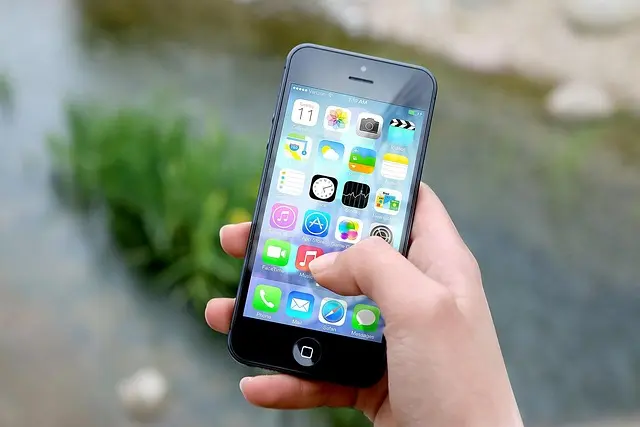
Start by personalizing your home screen layout. Long-press on app icons to rearrange them or create folders. Organizing apps by frequency of use can save time and reduce clutter. For better visibility, choose a wallpaper that complements your icon colors. Additionally, consider using widgets for weather, calendar, or music applications. This gives you quick access to essential information right from your home screen.
Step 2: Explore Themes and Design
Most modern devices offer various themes. Explore the settings to apply a theme that resonates with your aesthetic preferences. Some brands like Samsung and Xiaomi provide extensive customization options, including icon packs and system-wide color changes. This process begins in the settings, typically under “Display” or “Themes.” Choose colors and designs that not only look good but also provide clarity and ease in navigation.
Step 3: Optimize Notification Settings
Customizing notification settings can greatly enhance user experience. Tailor which apps send notifications, and adjust sounds or vibrations. By doing this, you reduce distractions from less important alerts while staying updated on critical notifications. In your settings, you can prioritize notifications for apps like messages and email while silencing less critical apps.
Step 4: Enhance Accessibility Features
Many devices today include accessibility features designed to help users with disabilities. Enabling features such as voice commands, text-to-speech, or screen magnification can create a more functional device for those who require additional support. Navigate to “Accessibility” in your settings for an array of options that can be tailored to your unique needs.
Step 5: Fine-Tune Privacy and Security Options
An often-overlooked area of customization is privacy. Ensure your device's location services and app permissions are set according to your comfort level. Apps like Signal provide enhanced privacy settings. Regularly reviewing these settings not only customizes your experience but also safeguards your personal data.
💡 Expert Opinion: Making regular adjustments and reviewing these settings periodically is crucial as it retains your device's performance and safety at a high standard, according to user feedback from various tech forums.
3. Customization Comparison: Key Features of Top Devices
To help you make informed decisions, below is a comparison of mobile customization ease across popular brands:
| Feature | Apple iOS | Android (Samsung) | OnePlus OxygenOS | Xiaomi MIUI |
|---|---|---|---|---|
| Themes Available | Limited | Extensive | Moderate | Extensive |
| Widget Functionality | Limited | Customizable | Highly customizable | Moderate |
| App Organization | Standard | Folders | Smart grouping | Folders |
| Accessibility Features | Basic | Comprehensive | Comprehensive | Comprehensive |
| Notification Control | Extensive | Extensive | Moderate | Extensive |
4. Latest Trends in Mobile Customization
The landscape of mobile device customization is ever-evolving. As reported by Les Numériques in their 2025 report, features such as always-on displays, customizable lock screens, and advanced voice commands are becoming standard. Furthermore, a growing number of users are integrating artificial intelligence in their customization processes, thereby enhancing the usability of their devices.
Security is also a major concern, with many brands focusing on providing secure ways to customize, including biometric locks and data protection features. Keeping abreast of these trends allows users to leverage the latest technologies to optimize their mobile experiences.
5. Frequently Asked Questions about Mobile Device Customization
- What is the best way to customize my phone's appearance?
You can change wallpapers, apply themes, and organize apps into folders. Start with the settings menu to explore options.
- Are there risks associated with customization?
Customizing settings can affect your device's security. Always ensure privacy settings are reviewed regularly.
- Can I revert my device to factory settings if I'm unhappy with the changes?
Yes, you can reset your device to factory settings. However, back up your data beforehand to avoid losing important files.
- Which mobile OS offers the most customization options?
Generally, Android offers more extensive customization options compared to iOS, particularly in terms of widgets and themes.
📺 For further insights: Explore advanced mobile device customization techniques, an in-depth analysis on [YouTube: mobile device customization tips].
Checklist before Customizing Your Device
- [ ] Verify your current device settings.
- [ ] Explore app organization strategies.
- [ ] Check for the latest software updates.
- [ ] Review accessibility options for personal needs.
- [ ] Set up privacy controls to enhance security.
Glossary
| Term | Definition |
|---|---|
| Customization | The process of modifying device settings to enhance personal experience and usability. |
| Accessibility | Features designed to assist users with disabilities in using technology more effectively. |
| Privacy Settings | Options that allow users to control what data is shared with apps and services.|